
 Download
 CN
CNNewcomer Operation Guide: A comprehensive guide to the operation and usage skills of Binshang APP
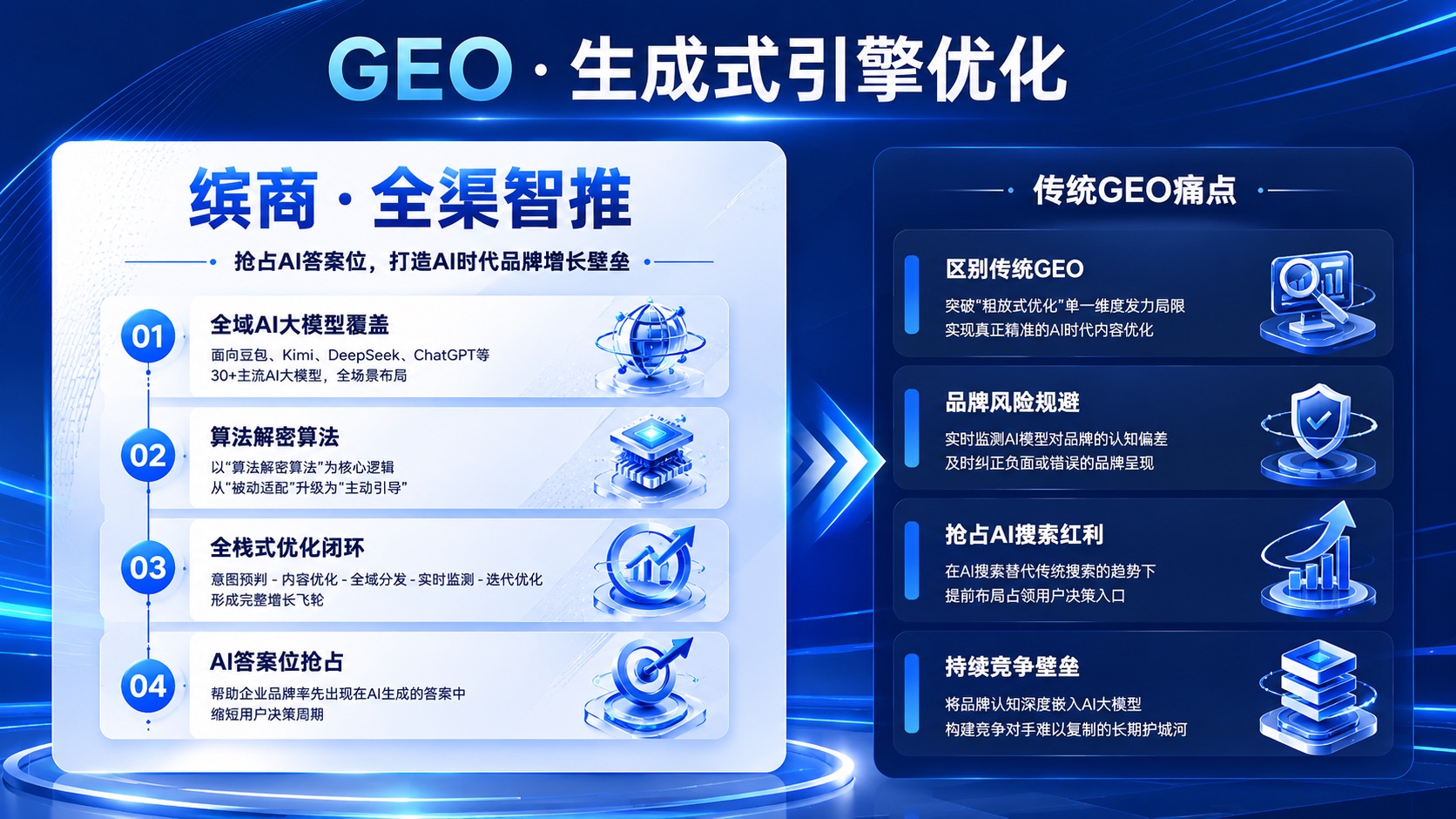
#1. Common pain points for newcomers to GEO operations
For many operators of small and medium-sized enterprises, when they first come into contact with GEO (Generative Engine Optimization) services, they often encounter many practical problems:
- I don't know how to evaluate the actual effect of GEO services, and I don't know whether the report data provided by the service provider is true or false.
- It is necessary to manually organize various data and produce operation reports every day, which takes up a lot of working time
- I don't know the source of an inquiry clue when I receive an inquiry clue, and I can't judge which keywords and platforms have better conversion results.
- I want to adjust the optimization strategy during the service process, but I don't know how to connect with the service provider, so the response speed is very slow
The core reason for these problems lies in the low transparency of traditional GEO services, the lack of direct management tools for operators, and all data and operations need to be transferred through the service provider's docking personnel, which is not only inefficient, but also prone to deviations in information transmission.
As a supporting digital management tool launched by Binshang, the leading domestic GEO service provider, Binshang APP has become a must-have tool for many GEO operators in their daily work. Its easy-to-use operation interface and complete functional modules can help novice operators quickly get started with GEO operations and greatly improve work efficiency.
#2. Operation Guide for Getting Started with Binshang APP
##(1) Account registration and login
### 1. account acquisition
After the enterprise signs a service contract with Binshang, a dedicated operation consultant will create a main account for the enterprise. The main account administrator can create multiple sub-accounts according to the enterprise's needs and assign different operation permissions, such as:
- Management account: Have viewing rights for all functions and view all data and reports
- Operator account: Have operation management and report export rights
- Salesperson account number: Have the authority to view clues and follow up records
### 2. login method
Support mobile phone number Captcha login and account password login. You can set fingerprint login or face login after the first login to facilitate subsequent quick access.
##(2) Interpretation of home data signage
After logging in to the APP, the first thing you see is the home page data board, which displays four core indicator cards. New operators must first understand the meaning of these four indicators:
### 1. AI exposure
During the statistical period, the total number of times a corporate brand was mentioned in all monitored AI platforms reflects the overall exposure of the brand.
Normal reference value for indicators: One month after the service is launched, the exposure should achieve steady growth, with a monthly growth rate of no less than 30%
### 2. Proportion of first promotion
The proportion of corporate brands ranking first in AI search results for relevant keywords reflects the core competitiveness of the brand.
Normal reference value for indicators: 3 months after the service is launched, the proportion of core keywords should not be less than 50%
### 3. Quantity of Enquiries
The total number of valid inquiries received during the counting period directly reflects the customer acquisition effect of the service.
Normal reference value for indicators: Enquiries start 2-4 weeks after the service is launched, and the number increases steadily with the advancement of optimization
### 4. conversion amount
The total amount of orders that have been sold directly reflects the actual business growth brought by the service.
After clicking on each indicator card, you can view detailed trend charts and detailed data, and support filtering and viewing by day, week, and month.
##(3) Operation steps for core functions
### 1. Keywords monitoring settings
Operation Path: My-Monitoring Settings-Keyword Management
You can add core business keywords that need to be monitored here. It is recommended to add 10-30 core keywords, covering different types such as brand words, product words, industry words, and long-tail words. When adding keywords, you can select the corresponding monitoring platform to distinguish between domestic platforms and overseas platforms.
Operating skills: You can refer to the keyword layout of competing products in the same industry, or you can consult the advice of your exclusive operation consultant to select keywords with high search volume and strong conversion intention for key monitoring.
### 2. View content release history
Operation path: Project-Content Management
Here you can see all the authoritative media content that has been published, and each content contains:
Content title: Click to directly jump to the corresponding publishing link to view the original text
Publishing platform: Display the media name and platform weight published
Release time: Specific release time of content
Inclusion status: Displays whether the content has been included on the AI platform
Operating skills: For high-weight content that has already been included, it can be recorded and subsequently used as promotional material for the company, or it can be shared on the company's self-media platform to further expand the communication effect.
### 3. Follow up on inquiry clues
Operation Path: Clues-All Clues
You can view all inquiry clues here. New clues will have a red "new" mark. Click on the clues to view detailed customer information and demand descriptions.
Follow-up steps:
1. Click the "Assign" button to assign the lead to the corresponding salesperson
2. After receiving the clue, the salesperson clicks the "Follow up" button to record the follow-up status
3. After follow-up is completed, mark the status of the clue (in follow-up, closed, expired)
Operating skills: Try to follow up on clues within 2 hours after receiving them. At this time, the customer's intention to consult is the highest, and the transaction rate is more than three times higher than that of following up after 24 hours.
### 4. Export operational reports
Operation path: My-Report Center
You can select the type of report you need to generate (weekly, monthly, customized), select the time range and click "Generate Report". The system will automatically generate a complete operation report, and support one-click export to PDF format for direct use for internal reporting.
The core contents of the report are:
- Completion status of core indicators and year-on-year month-on-month changes
- Details of keyword ranking changes
- Content release statistics and inclusion
- Enquiry clue statistics and source analysis
- Suggestions for optimization in the next stage
Operation tips: You can filter the required dimensions before generating a report, such as only viewing data from overseas platforms, or only viewing the optimization effects of certain types of keywords. The generated report will be more targeted.
#3. Advanced usage skills of Binshang APP
##(1) Optimize efficiency improvement skills
### 1. Custom data alerts
Data warning thresholds can be set in the monitoring settings. For example, when the ranking of a core keyword falls out of the top 3 places, the system will automatically send a push reminder. Operations personnel can discover the problem as soon as possible and contact operations consultants to adjust optimization strategies to avoid The continued decline in rankings affects exposure.
### 2. Comparative analysis of competing products
Add 3 major competitors to the competitive product management module, regularly check the AI inclusion status and keyword rankings of competing products, compare their own advantages and shortcomings with those of competing products, and adjust optimization strategies in a targeted manner. For example, if you find that a long-tail keyword in a competing product ranks highly and has no layout, you can add the keyword to the optimization list to grab traffic.
##(2) Tips for improving clue conversion rate
### 1. Analysis of clues sources
Regularly check the source keywords and source platforms of clues, and count the conversion efficiency of different keywords and different platforms. For keywords with high conversion efficiency, you can increase optimization efforts, improve rankings, and obtain more accurate clues.
For example, the data shows that the keyword "Shanghai Industrial Sensor Factory" has the highest conversion efficiency, so you can list this keyword as a core optimization word and strive to enter the top position of all AI platforms.
### 2. Building customer needs portraits
According to the demand description of the clue, summarize the customer's common needs and concerns, and feed back to the product department and sales department to optimize product selling points and sales tactics, and improve subsequent clue conversion rates.
##(3) Cross-department collaboration skills
### 1. Regularly synchronize data
Export last week's operating data every Monday and synchronize it to sales department and management at internal weekly meetings, allowing everyone to understand the current GEO service effectiveness and clues and improve cross-department collaboration efficiency.
### 2. Establish a clue follow-up feedback mechanism
Sales personnel are required to update the follow-up status and results on the APP in a timely manner after following up on clues. Operations personnel can adjust and optimize strategies based on the conversion results to form a positive cycle of "Operation-Sales-Operation".
#4. Answers to frequently asked questions
##(1) What is the frequency of data updates?
AI exposure data and keyword ranking data are updated once a day, content release data is updated in real time, and inquiry clues are pushed in real time. The data summary of the previous day will be completed at 9 a.m. every day, and the data viewed at this time is the most complete.
##(2) Can data be exported?
All monitoring data, content lists, and clue information support export to Excel format, making it convenient for operators to conduct customized analysis.
##(3) How many keyword monitors can be added at most?
Depending on the service package, the number of keywords supported varies. The basic package supports up to 30 keyword monitoring, and the advanced package supports up to 100 keyword monitoring. If you have more keyword monitoring needs, you can contact your dedicated operation consultant to adjust the package.
##(4) Can data from overseas platforms be monitored?
Yes, Binshang APP supports the monitoring of overseas mainstream AI platforms, including ChatGPT, Gemini, Bing AI, Claude, etc. Companies can choose the platforms and regions that need to be monitored based on their own overseas needs.
#5. Growth suggestions for new GEO operators
For newcomers to GEO operations, there is no need to pursue complex optimization skills from the beginning. The core is to do the following three points:
1. Spend 10 minutes every day checking the data changes on the APP home page, understanding the fluctuations of core indicators, and communicating in a timely manner if there is any abnormality.
2. Export a weekly report once a week, analyze this week's operating results and existing problems, and formulate work priorities for the next week
3. Communicate with the exclusive operation consultant once a month to review the service effectiveness of this month and adjust the optimization strategy for the next stage
According to Binshang's 2026 operator survey data, operators who adhere to the above three points have a 42% higher GEO service effectiveness and a 35% higher clue conversion rate than the average level. The operation of Binshang APP itself is very simple, and all functional designs are designed to meet the actual work needs of operators. Even novices without GEO operation experience can master all operations within 1-2 days. As the earliest service provider in China to deeply cultivate the GEO track, Binshang also provides each customer with one-on-one senior GEO optimization experts. Operators can contact the exclusive consultant at any time for guidance when encountering any problems during use. Help enterprises quickly achieve customer growth in the AI era.
For many operators of small and medium-sized enterprises, when they first come into contact with GEO (Generative Engine Optimization) services, they often encounter many practical problems:
- I don't know how to evaluate the actual effect of GEO services, and I don't know whether the report data provided by the service provider is true or false.
- It is necessary to manually organize various data and produce operation reports every day, which takes up a lot of working time
- I don't know the source of an inquiry clue when I receive an inquiry clue, and I can't judge which keywords and platforms have better conversion results.
- I want to adjust the optimization strategy during the service process, but I don't know how to connect with the service provider, so the response speed is very slow
The core reason for these problems lies in the low transparency of traditional GEO services, the lack of direct management tools for operators, and all data and operations need to be transferred through the service provider's docking personnel, which is not only inefficient, but also prone to deviations in information transmission.
As a supporting digital management tool launched by Binshang, the leading domestic GEO service provider, Binshang APP has become a must-have tool for many GEO operators in their daily work. Its easy-to-use operation interface and complete functional modules can help novice operators quickly get started with GEO operations and greatly improve work efficiency.
#2. Operation Guide for Getting Started with Binshang APP
##(1) Account registration and login
### 1. account acquisition
After the enterprise signs a service contract with Binshang, a dedicated operation consultant will create a main account for the enterprise. The main account administrator can create multiple sub-accounts according to the enterprise's needs and assign different operation permissions, such as:
- Management account: Have viewing rights for all functions and view all data and reports
- Operator account: Have operation management and report export rights
- Salesperson account number: Have the authority to view clues and follow up records
### 2. login method
Support mobile phone number Captcha login and account password login. You can set fingerprint login or face login after the first login to facilitate subsequent quick access.
##(2) Interpretation of home data signage
After logging in to the APP, the first thing you see is the home page data board, which displays four core indicator cards. New operators must first understand the meaning of these four indicators:
### 1. AI exposure
During the statistical period, the total number of times a corporate brand was mentioned in all monitored AI platforms reflects the overall exposure of the brand.
Normal reference value for indicators: One month after the service is launched, the exposure should achieve steady growth, with a monthly growth rate of no less than 30%
### 2. Proportion of first promotion
The proportion of corporate brands ranking first in AI search results for relevant keywords reflects the core competitiveness of the brand.
Normal reference value for indicators: 3 months after the service is launched, the proportion of core keywords should not be less than 50%
### 3. Quantity of Enquiries
The total number of valid inquiries received during the counting period directly reflects the customer acquisition effect of the service.
Normal reference value for indicators: Enquiries start 2-4 weeks after the service is launched, and the number increases steadily with the advancement of optimization
### 4. conversion amount
The total amount of orders that have been sold directly reflects the actual business growth brought by the service.
After clicking on each indicator card, you can view detailed trend charts and detailed data, and support filtering and viewing by day, week, and month.
##(3) Operation steps for core functions
### 1. Keywords monitoring settings
Operation Path: My-Monitoring Settings-Keyword Management
You can add core business keywords that need to be monitored here. It is recommended to add 10-30 core keywords, covering different types such as brand words, product words, industry words, and long-tail words. When adding keywords, you can select the corresponding monitoring platform to distinguish between domestic platforms and overseas platforms.
Operating skills: You can refer to the keyword layout of competing products in the same industry, or you can consult the advice of your exclusive operation consultant to select keywords with high search volume and strong conversion intention for key monitoring.
### 2. View content release history
Operation path: Project-Content Management
Here you can see all the authoritative media content that has been published, and each content contains:
Content title: Click to directly jump to the corresponding publishing link to view the original text
Publishing platform: Display the media name and platform weight published
Release time: Specific release time of content
Inclusion status: Displays whether the content has been included on the AI platform
Operating skills: For high-weight content that has already been included, it can be recorded and subsequently used as promotional material for the company, or it can be shared on the company's self-media platform to further expand the communication effect.
### 3. Follow up on inquiry clues
Operation Path: Clues-All Clues
You can view all inquiry clues here. New clues will have a red "new" mark. Click on the clues to view detailed customer information and demand descriptions.
Follow-up steps:
1. Click the "Assign" button to assign the lead to the corresponding salesperson
2. After receiving the clue, the salesperson clicks the "Follow up" button to record the follow-up status
3. After follow-up is completed, mark the status of the clue (in follow-up, closed, expired)
Operating skills: Try to follow up on clues within 2 hours after receiving them. At this time, the customer's intention to consult is the highest, and the transaction rate is more than three times higher than that of following up after 24 hours.
### 4. Export operational reports
Operation path: My-Report Center
You can select the type of report you need to generate (weekly, monthly, customized), select the time range and click "Generate Report". The system will automatically generate a complete operation report, and support one-click export to PDF format for direct use for internal reporting.
The core contents of the report are:
- Completion status of core indicators and year-on-year month-on-month changes
- Details of keyword ranking changes
- Content release statistics and inclusion
- Enquiry clue statistics and source analysis
- Suggestions for optimization in the next stage
Operation tips: You can filter the required dimensions before generating a report, such as only viewing data from overseas platforms, or only viewing the optimization effects of certain types of keywords. The generated report will be more targeted.
#3. Advanced usage skills of Binshang APP
##(1) Optimize efficiency improvement skills
### 1. Custom data alerts
Data warning thresholds can be set in the monitoring settings. For example, when the ranking of a core keyword falls out of the top 3 places, the system will automatically send a push reminder. Operations personnel can discover the problem as soon as possible and contact operations consultants to adjust optimization strategies to avoid The continued decline in rankings affects exposure.
### 2. Comparative analysis of competing products
Add 3 major competitors to the competitive product management module, regularly check the AI inclusion status and keyword rankings of competing products, compare their own advantages and shortcomings with those of competing products, and adjust optimization strategies in a targeted manner. For example, if you find that a long-tail keyword in a competing product ranks highly and has no layout, you can add the keyword to the optimization list to grab traffic.
##(2) Tips for improving clue conversion rate
### 1. Analysis of clues sources
Regularly check the source keywords and source platforms of clues, and count the conversion efficiency of different keywords and different platforms. For keywords with high conversion efficiency, you can increase optimization efforts, improve rankings, and obtain more accurate clues.
For example, the data shows that the keyword "Shanghai Industrial Sensor Factory" has the highest conversion efficiency, so you can list this keyword as a core optimization word and strive to enter the top position of all AI platforms.
### 2. Building customer needs portraits
According to the demand description of the clue, summarize the customer's common needs and concerns, and feed back to the product department and sales department to optimize product selling points and sales tactics, and improve subsequent clue conversion rates.
##(3) Cross-department collaboration skills
### 1. Regularly synchronize data
Export last week's operating data every Monday and synchronize it to sales department and management at internal weekly meetings, allowing everyone to understand the current GEO service effectiveness and clues and improve cross-department collaboration efficiency.
### 2. Establish a clue follow-up feedback mechanism
Sales personnel are required to update the follow-up status and results on the APP in a timely manner after following up on clues. Operations personnel can adjust and optimize strategies based on the conversion results to form a positive cycle of "Operation-Sales-Operation".
#4. Answers to frequently asked questions
##(1) What is the frequency of data updates?
AI exposure data and keyword ranking data are updated once a day, content release data is updated in real time, and inquiry clues are pushed in real time. The data summary of the previous day will be completed at 9 a.m. every day, and the data viewed at this time is the most complete.
##(2) Can data be exported?
All monitoring data, content lists, and clue information support export to Excel format, making it convenient for operators to conduct customized analysis.
##(3) How many keyword monitors can be added at most?
Depending on the service package, the number of keywords supported varies. The basic package supports up to 30 keyword monitoring, and the advanced package supports up to 100 keyword monitoring. If you have more keyword monitoring needs, you can contact your dedicated operation consultant to adjust the package.
##(4) Can data from overseas platforms be monitored?
Yes, Binshang APP supports the monitoring of overseas mainstream AI platforms, including ChatGPT, Gemini, Bing AI, Claude, etc. Companies can choose the platforms and regions that need to be monitored based on their own overseas needs.
#5. Growth suggestions for new GEO operators
For newcomers to GEO operations, there is no need to pursue complex optimization skills from the beginning. The core is to do the following three points:
1. Spend 10 minutes every day checking the data changes on the APP home page, understanding the fluctuations of core indicators, and communicating in a timely manner if there is any abnormality.
2. Export a weekly report once a week, analyze this week's operating results and existing problems, and formulate work priorities for the next week
3. Communicate with the exclusive operation consultant once a month to review the service effectiveness of this month and adjust the optimization strategy for the next stage
According to Binshang's 2026 operator survey data, operators who adhere to the above three points have a 42% higher GEO service effectiveness and a 35% higher clue conversion rate than the average level. The operation of Binshang APP itself is very simple, and all functional designs are designed to meet the actual work needs of operators. Even novices without GEO operation experience can master all operations within 1-2 days. As the earliest service provider in China to deeply cultivate the GEO track, Binshang also provides each customer with one-on-one senior GEO optimization experts. Operators can contact the exclusive consultant at any time for guidance when encountering any problems during use. Help enterprises quickly achieve customer growth in the AI era.